
If a Weverse LIVE replay has no English option in its subtitle menu, don’t buy Digital Membership just to unlock that one video. Weverse offers auto-generated subtitles for supported livestreams and replays, but they can be delayed or unavailable. The original livestream and its replay can have different subtitle options.
The cover is an AI-generated illustration, not an image of Weverse or a real artist.
Start with the replay, not the original LIVE notice
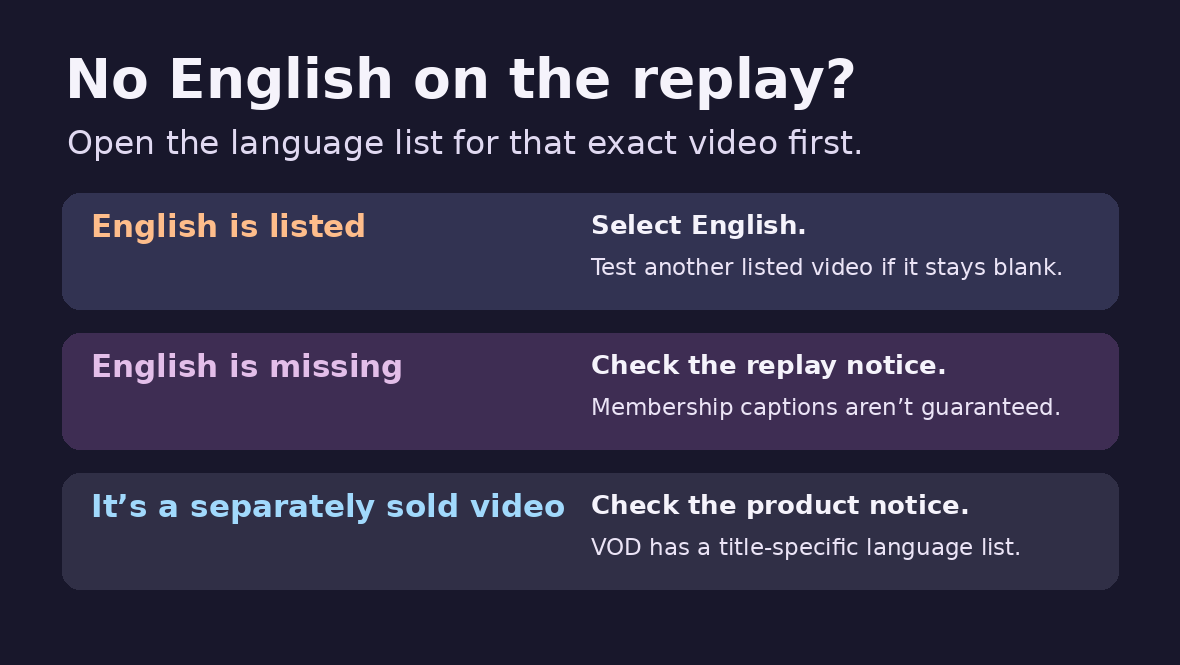
Open the exact replay. In the Weverse app, open the player’s More (⋮) menu; on the web, look for the player’s Settings (gear). Open the subtitle language list. If English is listed, select it. If it isn’t listed, check the artist’s official notice for that replay or video before assuming this is an app problem.
For example, the November 2 TWS countdown notice listed English for the live broadcast. That’s useful if you’re watching live; it’s not a promise that English is available on every replay. Weverse Help says the subtitle options can differ between the live broadcast and later playback.
Check which kind of access you’re being offered
- Ordinary LIVE replay: Check the subtitle choices for that video. If the artist hasn’t confirmed that English captions are coming, there’s no platform-wide wait time you can count on.
- Digital Membership: This can provide auto-generated subtitles on supported LIVEs and replays. Weverse lists English among the possible options for Korean and Japanese broadcasts. Availability, timing, and translation quality can vary. Check the benefits offered for that community before paying.
- Separately sold video: Look for the subtitle languages on the product notice for that exact title. For instance, the official DK & JEONGHAN travel VOD notice lists its own subtitle languages. It’s a separate video purchase, not proof that a different replay includes English. A ticketed concert may have a scheduled delayed stream rather than an on-demand replay; check the event’s terms.
If English is listed but still won’t show
Check that English is selected, then try a different video that explicitly lists English. If the issue still affects the first replay, Weverse Help asks for the title or link and a description of what went wrong. If English never appears in the list, tell support that the language option is missing, not just that subtitles won’t turn on. Don’t post account or payment details in public comments.
For a live artist event you plan to watch from the U.S., see how to convert a K-pop schedule from KST to your U.S. time zone.
Checked November 22, 2026: Weverse Help: video subtitles (Korean); Digital Membership subtitles; updated spoken-language support; TWS livestream notice; DK & JEONGHAN VOD product notice; Weverse Concerts: delayed streams and VOD.
QUESTIONS & EXPERIENCES
Comments 0
Share a question or experience about this guide, then keep the conversation going with replies.
No published comments yet. Be the first to share a question or experience.